
Published October 27, 2026
Using Zapier for social media is one of the most effective ways for small business owners and service providers to maintain a consistent digital presence without spending hours on manual tasks. By acting as a bridge between your various apps, this automation tool ensures your content flows seamlessly across platforms, saving you valuable time that could be better spent on client work. Whether you are a plumber, real estate agent, or landscaper, integrating your social channels through automated workflows allows you to keep up with trends, respond to customers, and push out fresh updates effortlessly. Social media integration connects two or more systems; it's essentially a communication layer that helps the apps talk to each other. Adopting such systems helps you avoid burnout while ensuring your brand remains active across all your social networks 24/7.
Why Use Zapier for Social Media Automation?
Small business owners often feel overwhelmed by the sheer volume of tasks required to maintain a professional online image. Utilizing Zapier for social media helps you regain control by automating repetitive actions such as cross-posting, content syndication, and data management. When you implement a robust automated social media posting strategy, you no longer need to log into five different dashboards to share one update. Instead, your tools work in harmony to ensure your message reaches your audience at the optimal time, whether you are in the field or at your desk.
Comparison: Manual Social Management vs. Automated Systems
| Feature | Manual Management | Automated Workflow |
|---|---|---|
| Time Requirement | High (Daily) | Low (Set & Forget) |
| Consistency | Variable/Poor | Reliable/High |
| Platform Reach | Limited | Multi-channel |
| Scalability | Requires New Staff | Infinite Growth |
As illustrated in the table above, the shift from manual labor to automated workflows provides a significant advantage for growing service businesses. Workflow automation allows social media managers to keep up with trends, track customer sentiment, and create content without burning themselves out. This level of efficiency is what distinguishes successful modern firms from those still relying on outdated, time-consuming methods.
Key Benefits of Integrating Social Media Workflows
When you integrate your social channels using smart automation, you create a cohesive digital ecosystem. For real estate agents, this might mean automatically posting new listings to Facebook, LinkedIn, and Instagram the moment they hit your CRM. For contractors, it involves automatically pulling project updates from a spreadsheet or form directly to your feed. By visiting our homepage, you can explore how these workflows fit into a broader marketing automation for local service businesses strategy that scales alongside your company's growth.
Enhanced Lead Capture
Automation does not just help with posting; it accelerates lead follow-up. When a potential client engages with your content or fills out a lead form, automated triggers can instantly notify your team or add them to your email marketing software. This immediate response is crucial for small businesses that rely on fast communication to secure service contracts.

Common Use Cases for Social Media Automation
Many local service providers find that the most effective way to use integration tools is to solve specific pain points. For example, you can create a workflow that saves every new Google Review you receive and turns it into a social media post, helping you build social proof automatically. This form of automated social media publishing across platforms ensures your happy clients' words are seen by your entire community without you having to manually screenshot or design graphics.
- Automatic cross-posting between platforms.
- RSS feed monitoring for industry news sharing.
- Lead form submissions triggering immediate CRM updates.
- Email newsletters automatically posted to LinkedIn.
For those looking to streamline their efforts even further, exploring marketing automation for small business owners can provide a comprehensive framework for managing your entire brand presence. The key is to start small by choosing one repeating task and building an automated bridge for it.
How to Get Started with Automated Social Media Posting
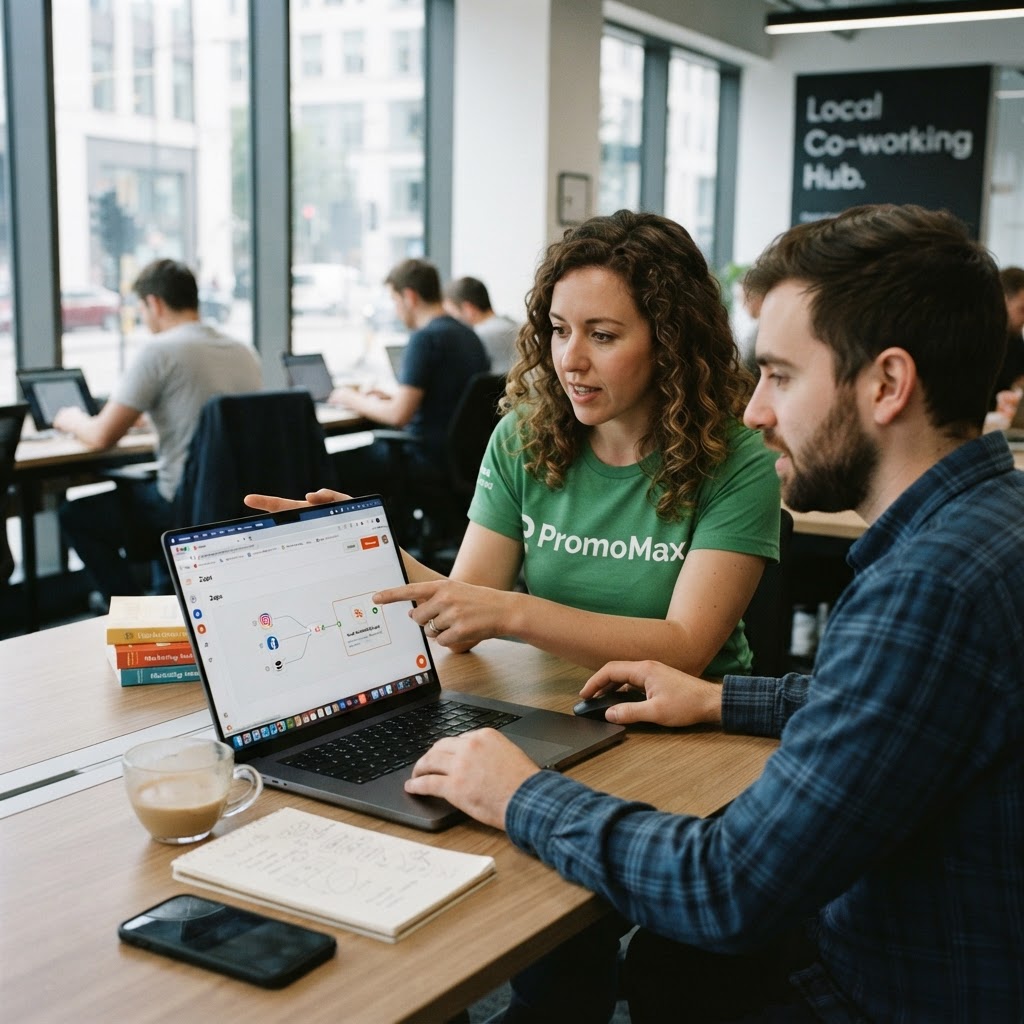
Getting started requires auditing your current digital footprint. Identify the platforms where your target audience is most active and determine which content types—like photos, videos, or text updates—perform best. Once identified, map out the triggers. A trigger is the action that starts your workflow, such as "New post in WordPress" or "New record in Airtable." An action is what happens next, such as "Share on Twitter" or "Post to Facebook Page."
By leveraging AI-driven content creation, you can ensure the content moving through your automated pipes is actually valuable to your readers. The goal of using these tools is not to flood the internet with noise, but to consistently provide helpful, professional content that builds trust with local homeowners and clients. If you are ready to stop wasting time on manual uploads, our AI-driven marketing automation platform can help you build a professional brand presence effortlessly.
Frequently Asked Questions
Can I connect all my accounts to these automation tools?
Yes, most modern automation platforms support dozens of major social networks, including Facebook, Instagram, LinkedIn, and Twitter, as well as hundreds of business apps.
Does automation make my content feel robotic?
If you use high-quality content generation, automation feels professional and consistent. The automation serves as your delivery system, not your brand voice.
How much time can I save per week?
Many small business owners reclaim 5 to 10 hours a week by eliminating the manual "copy-paste" workflow associated with updating multiple social profiles.
Frequently Asked Questions
Can I connect all my accounts to these automation tools?
Yes, most modern automation platforms support dozens of major social networks, including Facebook, Instagram, LinkedIn, and Twitter, as well as hundreds of business apps to facilitate your workflows.
Does automation make my content feel robotic?
If you use high-quality content generation, automation feels professional and consistent. The automation serves as your delivery system, not your brand voice, ensuring relevance.
How much time can I save per week?
Many small business owners reclaim 5 to 10 hours a week by eliminating the manual "copy-paste" workflow associated with updating multiple social profiles across different networks.
Is technical knowledge required to set up these automations?
Most automation platforms use a no-code interface, allowing business owners to drag and drop elements to build connections between apps without writing any complex code.
Create My Free Content
PromoMax is an AI-driven marketing automation platform that scans business websites to automatically generate and publish tailored content. It acts as a 24/7 marketing team, handling everything from social media posts and videos to SEO-optimized blog articles.
Create My Free Content