What it is
What a social media inbox is
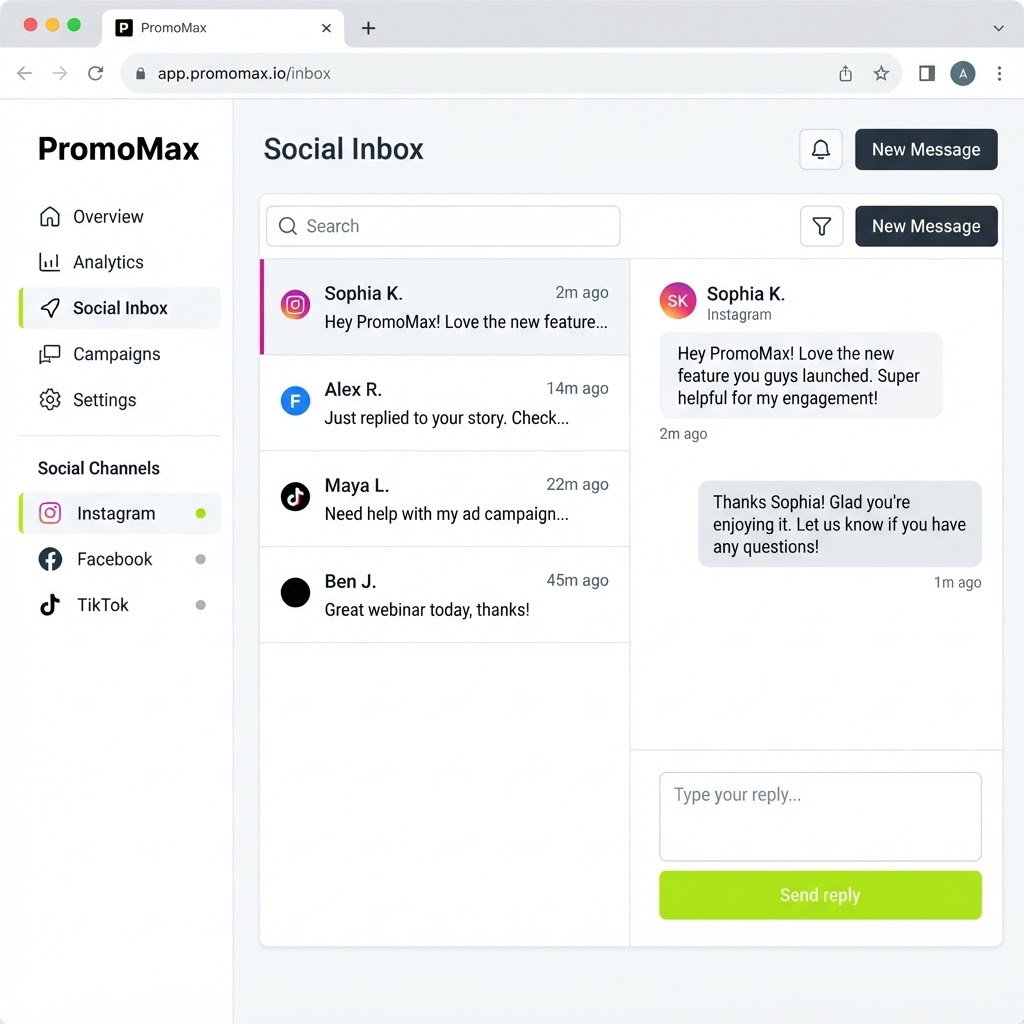
A social media inbox collects the messages and comments from your social accounts into one screen. Instead of opening Instagram, then Facebook, then TikTok, and scrolling three notification lists to work out whether anyone is waiting on you, you open one list that shows every conversation in the order it arrived, labeled with the platform it came from.
For a local business this is not a convenience feature. Social messages are quotes, bookings and questions from people who are ready to buy. Somebody comments on your post asking if you cover their town, and if the answer takes two days, they have already called someone else. The message was never the problem; finding it was.
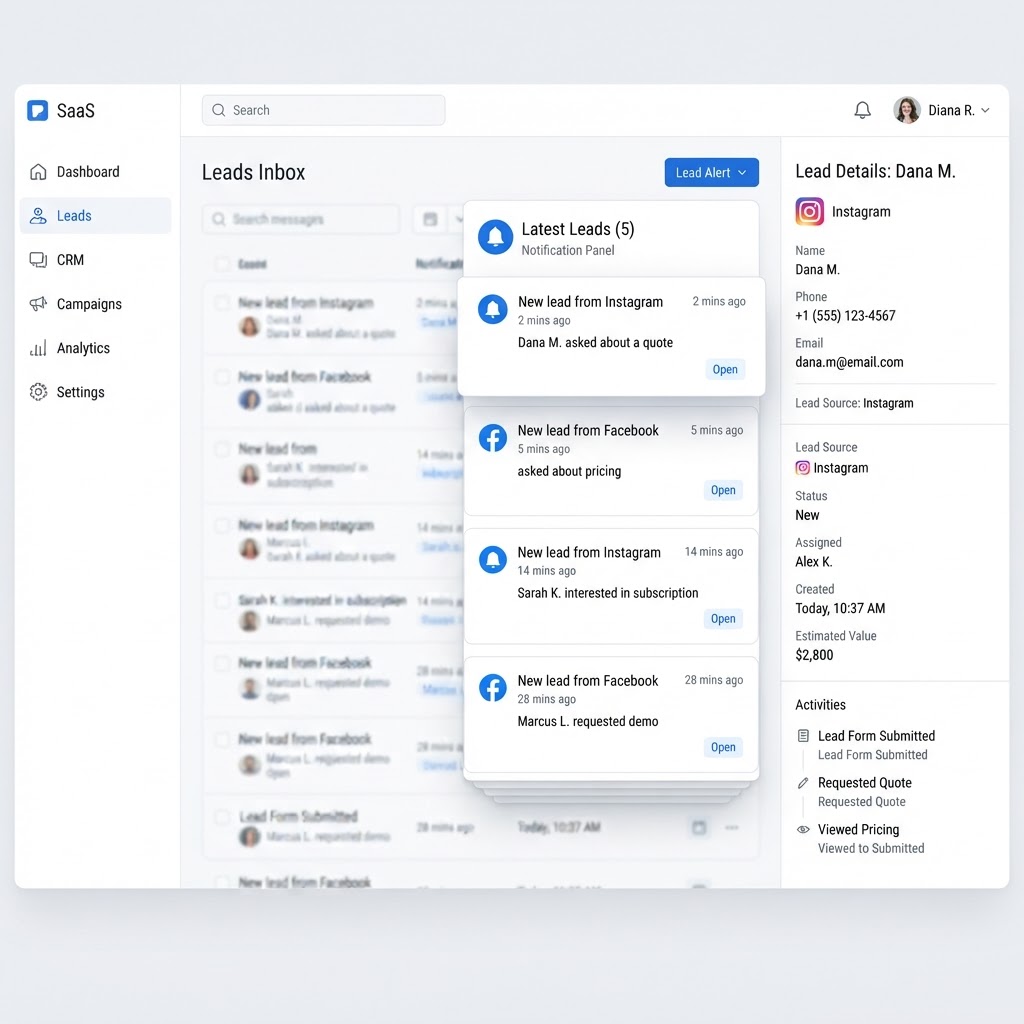
PromoMax connects your Instagram, Facebook Page and TikTok, brings the messages and comments into the same dashboard where the rest of your marketing runs, and adds lead alerts so the ones that look like customers reach you immediately rather than whenever you next open the app.
Comments deserve their own mention, because they are the ones almost everyone misses. A comment is public, it often contains a real question, and an unanswered one is visible to every other person who reads that post. Answering comments from the same inbox does two things at once: it serves the person asking and it shows everyone else that you respond.
Inside the tool
A real screen from the Social Media Inbox
The problem
The problem: your leads are spread across three apps
Imagine a landscaper who posts work photos to Instagram, runs the Facebook Page, and tries to keep up with TikTok because that is where the local homeowners are now. A question about a fall cleanup comes in on Instagram at nine in the morning while he is on a mower. A price request arrives on Facebook at noon. A comment asking about service areas lands on TikTok at four. He sees all three at eight that night, replies to two, and by then one has booked somebody else.
The apps are designed to keep you inside them, not to make sure nothing is missed. Notifications get buried under likes and follows, message requests hide in a separate folder, and comments on older posts never surface at all. Running a business from three inboxes means the loudest platform wins and the customer on the quiet one is lost.
Handing it to somebody else does not fully solve it either, because whoever covers it has to be logged into all three accounts and remember to check them. What actually fixes it is one inbox with one rule: everything that arrives is in the same place, and anything that looks like a lead reaches you right away.
Late replies also cost you the easy jobs. The customer who messages at nine in the morning asking whether you can come Thursday has usually messaged two other businesses by ten. Whoever answers first sets the expectation, and whoever answers last is often quoting for work that is already booked. For a local business, speed of reply is not a customer-service nicety; it is the difference between winning and losing the job.
How it works
How the social media inbox works
- 1
Connect Instagram, Facebook and TikTok
You connect each account once from inside PromoMax, authorizing the platform to read your messages and comments. Nothing about your accounts changes and you keep posting exactly as you do now.
Once connected, the inbox shows the accounts it is listening to, so you always know what is covered and what is not.
- 2
Every message and comment lands in one list
Direct messages and comments from all three platforms arrive in the same inbox, newest first, labeled by platform. A comment on a post is treated the same way as a DM, because both are customers trying to reach you.
Unread items stay visibly unread until you deal with them, so you can see at a glance what still needs an answer instead of relying on three apps to tell you.
- 3
Lead alerts reach you the moment it matters
You set where lead alerts go, by email or text, and the inbox flags messages that read like a customer rather than a compliment. A question about price, availability or service area is a lead, and it reaches you while the person is still deciding.
That alert is the difference between a message you find tonight and a job you book in ten minutes.
- 4
Reply from the same screen
You answer from the inbox, so you are not switching apps to reply to the person you just read. The conversation stays together with everything else that customer sent, on whichever platform they used.
The result is one habit instead of three: open the inbox, clear what is waiting, and know that nothing on any platform is quietly piling up.
What's inside
What you get with the social media inbox
One inbox for Instagram, Facebook and TikTok
messages and comments from all three platforms in a single list, labeled by platform and sorted by arrival.
Instant lead alerts
a message that reads like a customer is flagged and sent to your email or phone so it does not wait until evening.
Replies without opening three apps
answer the conversation where you found it, which is the whole reason the inbox exists.
A clear view of what needs an answer
unread items stay unread until handled, so nothing gets buried under likes and follows.
Ready when you are
Social Media Inbox is already built — it just needs your business connected.
One login runs this tool plus every other tool in the PromoMax system.
Who it is for
Who it is for
It is for any local business that gets customer messages on social: plumbers, HVAC companies, roofers, electricians, landscapers, cleaners, salons, dentists, restaurants, contractors, real estate agents, and any local service or product business whose next customer might send a DM instead of calling.
It suits the owner who runs the accounts personally, and it suits a small team where one person is responsible for answering. Either way, the value is the same: one place, and no lead discovered too late.
The inbox is deliberately plain. It is a list of people who wrote to you, newest first, with the platform attached so you know where to answer. There are no engagement metrics to distract you and no suggestion engine asking you to boost a post, which is exactly what makes it usable in the two minutes between jobs.
It also complements the phone rather than replacing it. Some customers call, some send a DM at midnight, and some comment on a photo from six weeks ago. All three are the same customer deciding who to hire, and the businesses that win are the ones that answer on all three channels without dropping any of them.
Part of the system
Part of a complete marketing system
The inbox handles the conversations. PromoMax also ranks your business on Google Maps and Google, publishes articles and job content to your website, and builds the signals that get you mentioned by AI assistants like ChatGPT, Claude, Gemini and Perplexity.
Posting to social is handled by the platform’s publishing tools, not by the inbox: the inbox receives and replies, and the publishing side creates and schedules the content that brings the messages in. Together they cover both directions of the conversation.
Set the alert channel once and the inbox becomes a routine rather than a worry: check it at lunch, check it at the end of the day, and let the alerts handle anything that cannot wait. That habit takes minutes a day, which is the only kind of habit that survives a busy season.
Where it saves the most time is the end of the day. Instead of opening three apps and scrolling three notification lists, you open one and clear it: ten minutes, once, and you know the state of every conversation your business had that day. Because the inbox records who wrote and when, you can also tell the difference between a quiet week and a week where nobody looked.
FAQ
Frequently asked questions
What is a social media inbox?
It is one screen that collects the messages and comments from all your connected social accounts. A social media inbox for a local business exists so a question, a quote request or a booking does not get buried inside an app that is busy showing you likes. You read once, you reply once, nothing is missed.
Which platforms does it connect?
Instagram, Facebook Pages and TikTok. Those three cover where local customers message most, and each connected account is shown in the inbox so you can confirm what is being watched.
How do lead alerts work?
You choose an email address or phone number for alerts. When a message reads like a customer rather than a compliment, the inbox flags it and sends you the alert, so a price or availability question reaches you while the person is still deciding.
Can my team use it too?
The inbox is built around the business owner’s dashboard, so the person logged into the account sees and answers the conversations. If you have somebody covering messages, they sign in to the same PromoMax account rather than being handed three separate social logins.
Does it post to social media for me?
No, and that is deliberate: this tool is for receiving and replying to messages and comments, not for publishing. PromoMax’s separate publishing tools create and schedule your social posts, and the guides on the PromoMax blog cover how that fits together with the inbox.