What it is
Google Business Profile suspended: what to do first
A Google Business Profile suspended notice is the worst email a local business can get, and your listing disappears from Google Maps and from local search results the moment it lands. The calls stop, the reviews are no longer visible, and Google sends a short notice that rarely names the exact problem. Most owners respond the same way: they submit an appeal immediately, wait a week, and get a rejection that says the same thing the first notice said.
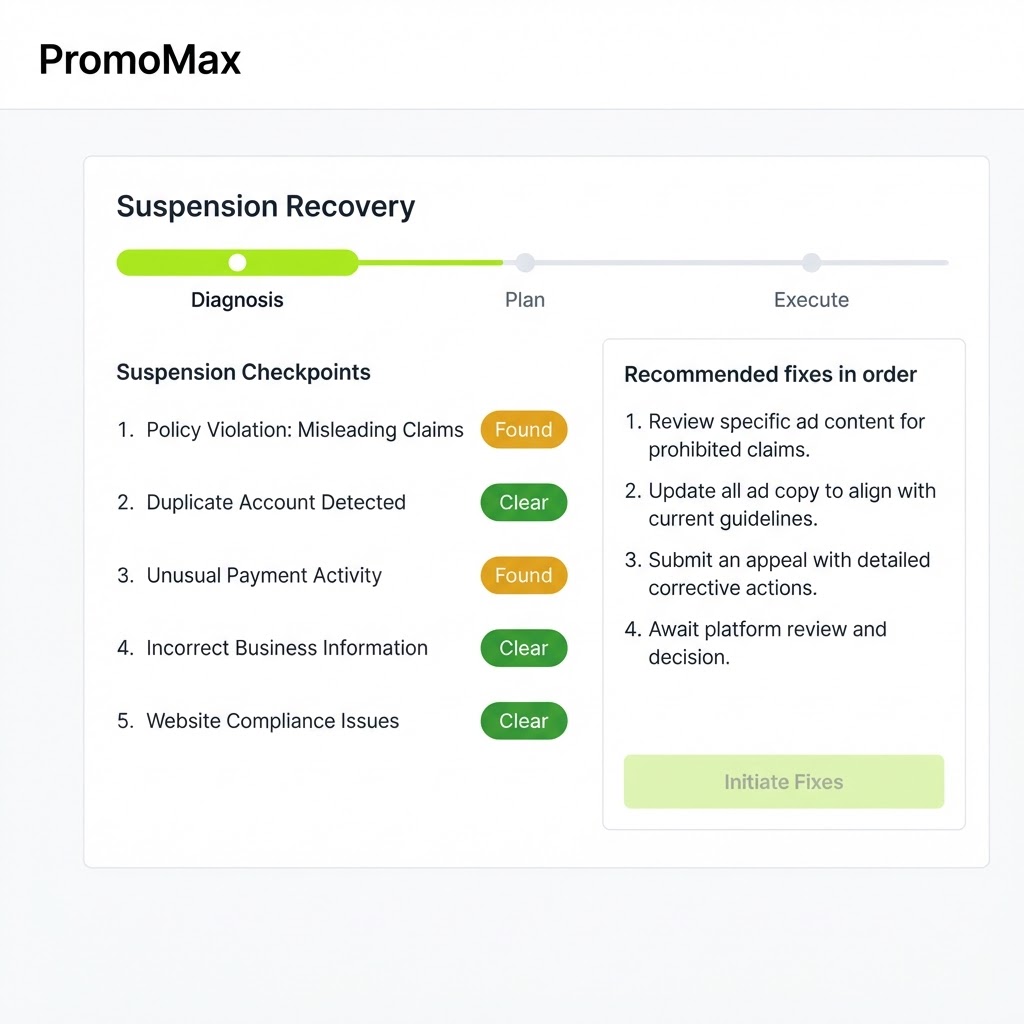
The recovery tool in PromoMax exists to stop that loop. It starts by asking what actually happened, listing the situations that look identical from the outside but need different responses: a suspended listing, a disabled listing, reviews disappearing, or a verification you cannot complete. Then it checks your profile against the mistakes that genuinely get listings suspended, namely business name issues, address and service area problems, category problems and duplicate listings.
From there it walks you through the fixes in order, helps you assemble the evidence Google asks for, and tracks the case until a decision comes back. It is a guided process, not a button that removes the suspension, because Google alone decides and Google alone reinstates.
Inside the tool
A real screen from the Suspended Google Business Profile Recovery
The problem
The problem: most appeals fail before they are read
Consider a house cleaning company that added a second city to its name to help with ranking, and moved its address from a home to a storage unit. Both changes felt harmless. Both are exactly what Google’s guidelines are designed to catch, and the listing is suspended without anyone connecting the suspension to the edits made six weeks earlier.
The owner appeals with a paragraph saying the business is real and has been operating for nine years. It is true, and it is irrelevant, because the suspension was not about whether the business exists. It was about the name and the address. The appeal is rejected, the owner appeals again with more emotion and less evidence, and the case is closed for good, sometimes along with the option to appeal again.
The pattern repeats because nobody explains the sequence: diagnose the cause, fix the profile so the cause no longer exists, then appeal with evidence that matches the cause. An appeal submitted before the fix is a description of a problem that is still there, and Google treats it as one.
While the case drags on, the business keeps paying for it. Calls that used to arrive from the map go to competitors, reviews sit invisible, and customers who search the business name and find nothing assume it closed. That is why the sequence matters more than the speed: a rushed appeal that fails costs another two weeks and often closes the door on a clean second attempt.
How it works
How the suspended Google Business Profile recovery works
- 1
Tell the tool what happened
You pick the situation you are in: the listing was suspended, the profile shows as disabled, reviews have disappeared, or you cannot complete verification. Each of those needs a different path, and treating them as one thing is how people waste weeks.
If you already manage your profile in PromoMax, the tool starts from your real profile details, so the diagnosis is based on your actual name, address, categories and services rather than on what you remember.
- 2
It diagnoses the likely causes
The tool compares your profile against the patterns that get listings suspended: a business name with keywords or a city added to it, an address that is not a real customer-facing location, a service area that contradicts the address, categories that do not match the business, and duplicate listings for the same company.
You get a short list of the causes that apply to you, ranked, rather than a generic checklist of thirty possibilities.
- 3
It walks you through the fixes before any appeal
Each cause comes with the correction that removes it: reverting the name to the real business name, correcting the address or the service area, cleaning up the categories, removing or merging duplicates. This is the step most owners skip, and it is the reason most appeals fail.
The tool takes you through it in order, so the profile you appeal with no longer contains the reason it was suspended.
- 4
It helps build the appeal and tracks the case
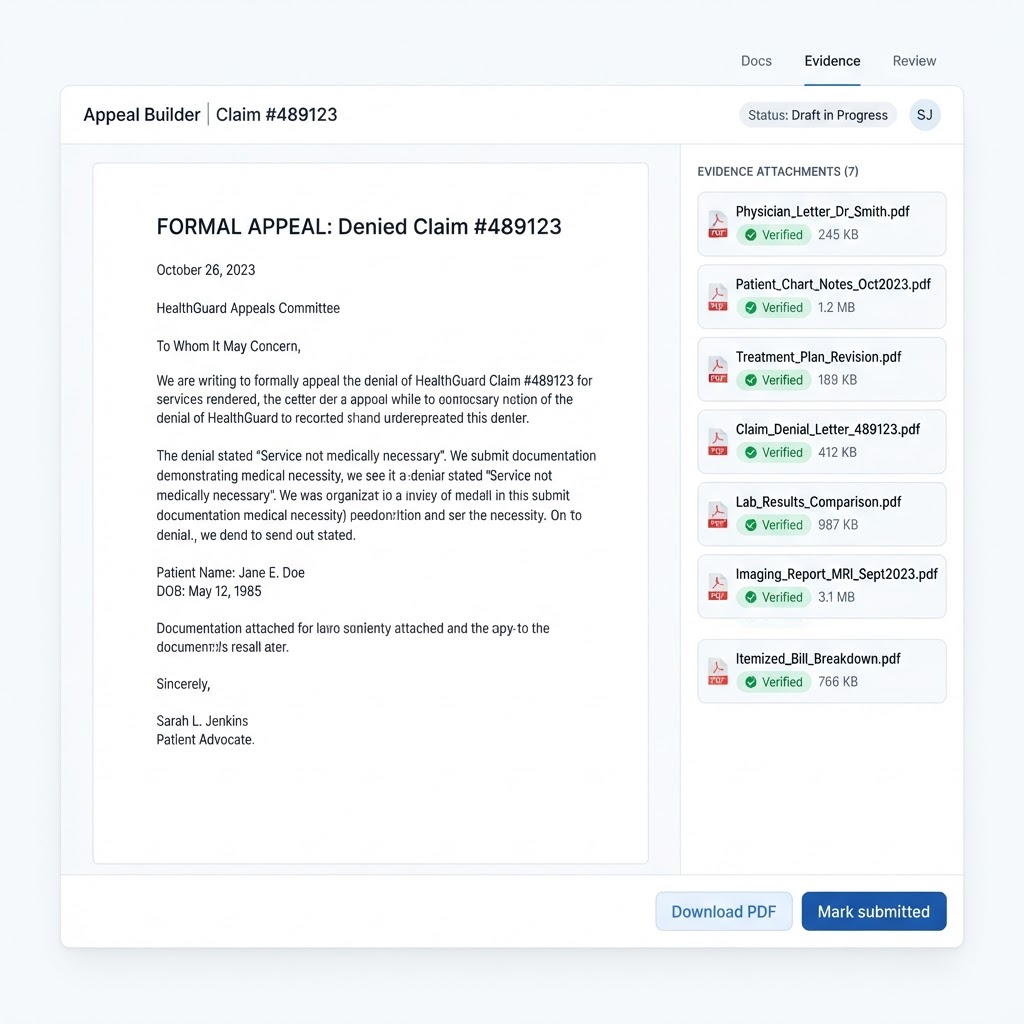
The tool shows the evidence Google asks for depending on the cause: business registration or a license, a utility bill or lease in the business name, signage photos, or proof of the address. You assemble it in the shape an appeal reviewer can check quickly.
Once submitted, the case is tracked in the tool with its status and dates, so the appeal does not vanish into an inbox and the follow-up has a record behind it.
What's inside
What you get with the tool
A guided diagnosis
step-by-step questions that separate a suspension from a disabled listing, missing reviews or a verification problem.
The real fix list for your suspension type
the specific corrections that remove the cause, ranked, instead of a general list of Google guidelines.
Appeal preparation with the right evidence
the documents Google asks for in your situation, organized so a reviewer can verify them quickly.
A case tracker
status and dates recorded as the appeal moves, so nothing gets lost or submitted twice by accident.
Guidance for related problems
help with disabled listings, reviews that disappeared and verification that will not complete.
Ready when you are
Suspended Google Business Profile Recovery is already built — it just needs your business connected.
One login runs this tool plus every other tool in the PromoMax system.
Who it is for
Who it is for
It is for any local business whose Google listing has been suspended or disabled: plumbers, HVAC companies, roofers, electricians, landscapers, cleaners, salons, dentists, restaurants, contractors, real estate agents, and any local service or product business that depends on Google Maps for calls.
It is also for the business that has already appealed once and been rejected, and does not understand why. In most of those cases the cause was never fixed, and going back to the diagnosis is the only way forward.
The tool is also honest about the cases better paperwork will not fix. If the business does not meet Google’s eligibility rules, or the address is a virtual office with no customer-facing presence, no appeal will change that outcome. Better to know it early than to spend a month appealing a listing that cannot be reinstated as it stands.
While a case is open, nothing stops you from marketing elsewhere: your website, the reviews you already have, the customers you have already served. The recovery tool handles the listing, and the rest of the platform keeps the business visible through your own site and your social presence, so a suspension costs you less than a month of silence.
Documentation is worth keeping even after a case closes. If the same issue ever comes up again, or a second location makes the same mistake, the record of what was wrong and what fixed it saves days.
Part of the system
Part of a complete marketing system
Recovery gets you back on the map. Staying there is the rest of PromoMax, the complete marketing system on autopilot: it keeps your Google Business Profile optimized, ranks you on Google Maps and Google, publishes job content and articles to your website, and builds the signals that get you mentioned by AI assistants like ChatGPT, Claude, Gemini and Perplexity.
Once the listing is reinstated, the same workspace shows you what to fix next instead of leaving the profile to drift back into the state that got it suspended.
FAQ
Frequently asked questions
Why was my Google Business Profile suspended?
A Google Business Profile suspended notice is almost always one of a few causes: a business name with keywords or a city added, an address that is not a real customer-facing location, a service area that conflicts with the address, categories that misrepresent the business, or a duplicate listing. The tool checks your profile against each of them so you are working from a cause instead of a guess. Google does not always name the reason, which is why the diagnosis matters.
How long does reinstatement take?
Google sets the timeline and it varies with the queue, the cause and the evidence you submit, so nobody can give you a reliable number of days. What you can control is the quality of the submission: a fixed profile and complete evidence are reviewed faster than an appeal that has to be sent back for more information.
Can I just submit the appeal myself right away?
You can, but if the cause is still present on your profile the appeal describes a problem Google can still see. That is why the tool puts the fixes first and the appeal second. Fixing first also means a second appeal, if you ever need one, is not a repeat of the first.
What evidence does Google want?
It depends on the cause: business registration or a professional license, a utility bill or lease showing the business name and address, photos of signage at the location, or documentation that distinguishes you from a duplicate listing. The tool shows which of these apply to your situation and how to present them.
Can anyone guarantee my profile comes back?
No, and you should be careful with anyone who says otherwise. Google alone decides whether a suspended Google Business Profile is reinstated, and no tool or agency can promise it or quote a success rate. What this tool does is give you the correct diagnosis, the fixes that remove the cause, and the strongest appeal you can honestly submit.