How to set up an AI chatbot for Social Media DMs and comments?
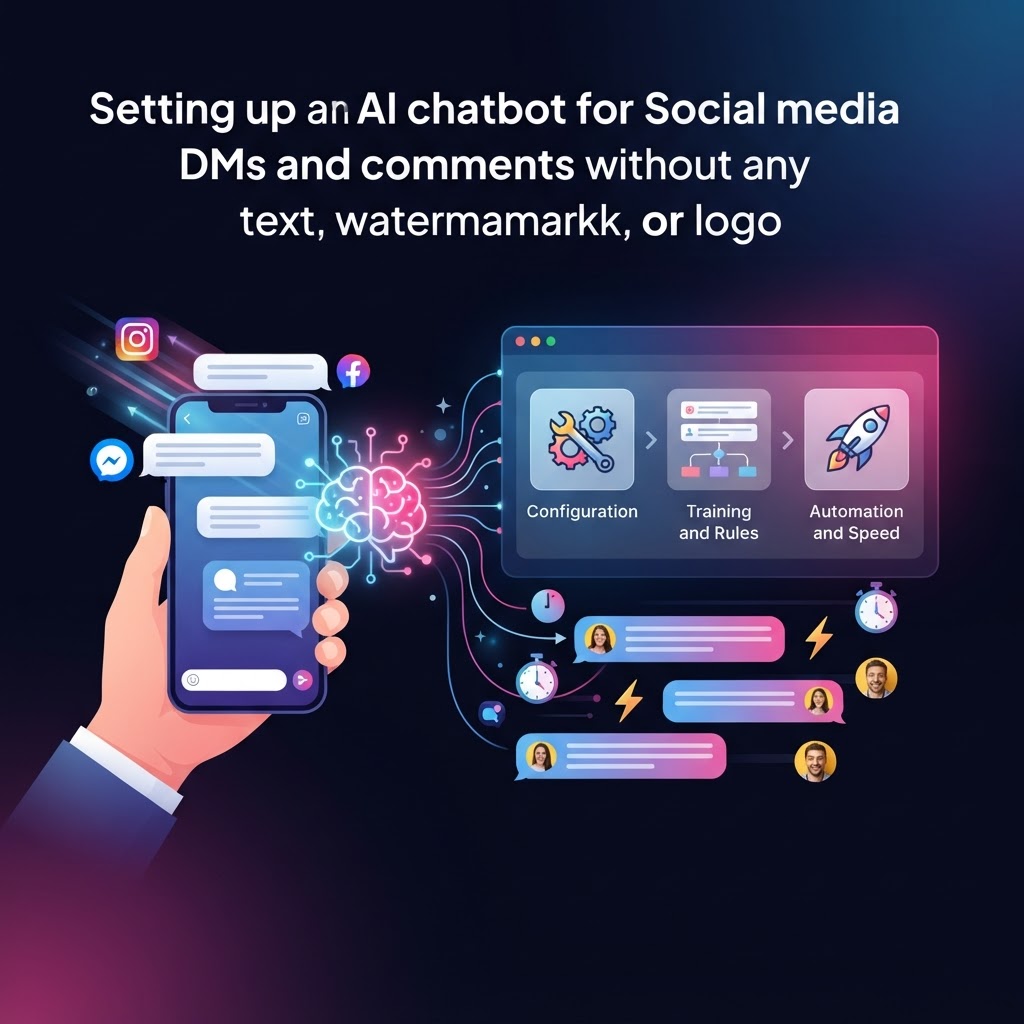
Setting up an AI chatbot for your social media DMs and comments involves connecting your business accounts to an automation platform, defining your brand's response rules, and testing the system to ensure it handles inquiries accurately. You can accomplish this by choosing a platform like PromoMax that integrates directly with Meta Business Suite and other social APIs, allowing you to trigger automated responses based on specific keywords or intent-based triggers.
Why should small businesses automate social media engagement?
For solopreneurs and small teams, the volume of incoming messages can be overwhelming. Research from Sprout Social indicates that customers expect a response on social media within 24 hours, yet many businesses miss these windows. By implementing social media automation, you ensure that every customer receives a timely acknowledgement, regardless of your team's size or working hours.
How do you choose the right AI chatbot platform?
When selecting a tool, look for three core features: deep API integration, custom training data, and a seamless human hand-off process. You want a system that understands your unique service offerings rather than just providing generic "I'll get back to you" replies. It is essential to ensure your marketing automation tools support the platforms where your audience is most active, whether that is Instagram, Facebook, or LinkedIn.
How to set up an AI chatbot in 5 steps?
1. Connect Your Channels: Use your platform’s dashboard to link your professional social media accounts. 2. Define Your Knowledge Base: Upload your FAQs, product descriptions, and brand guidelines to train the AI. 3. Set Triggers and Rules: Decide which comments or DM keywords (e.g., "price," "hours," "booking") should trigger an automated response. 4. Establish Human Escalation: Set up alerts for when the AI encounters a query it cannot resolve so a human agent can intervene immediately. 5. Test and Refine: Run a beta test to ensure responses are accurate and sound like your brand.
Putting It Into Practice
Start by auditing your most common inbox inquiries. If 80% of your messages are about store hours or pricing, start your automation strategy there. Do not attempt to automate every single interaction at once. Begin with a single channel to monitor performance before scaling to other platforms. This approach helps you maintain quality while adopting automated marketing strategies.
How PromoMax Can Help
PromoMax streamlines this process by acting as an AI marketing assistant that handles repetitive communication while you focus on high-level growth. By utilizing our AI marketing agents, you can ensure your brand voice remains consistent across all DMs and comments, even when you aren't at your desk. Our system is designed specifically for small businesses that need marketing without an agency.
What platforms support social media chatbots?
Most AI marketing tools currently support Facebook Messenger, Instagram DMs, and increasingly, LinkedIn and X (formerly Twitter) business profiles via official APIs.
Is an AI chatbot hard to maintain?
Modern platforms make it simple. Once you input your company knowledge base, the AI requires minimal maintenance, only needing updates if your pricing or policies change.
Will a chatbot make my brand feel impersonal?
Not if you customize the tone. Using tools that allow for specific brand voice instructions helps ensure the AI sounds like a member of your team rather than a robot.
How do I handle complex customer complaints?
Always configure your chatbot with a "human hand-off" trigger. If the AI detects negative sentiment or a complex request, it should automatically alert you to take over the conversation.
Related Reading
- How to Automate Social Media for small business without losing brand voice?
- How do I set up an automated Social Media workflow for my startup?
- PromoMax vs Hootsuite: which is better for automated Social Media posting?
Your AI Marketing Team, Working 24/7
Stop losing leads to slow response times. Let PromoMax manage your social inbox while you focus on building your business. Get started with enterprise-grade automation designed for the needs of small business owners.