What it is
A Photo-Based Route Into Video Production
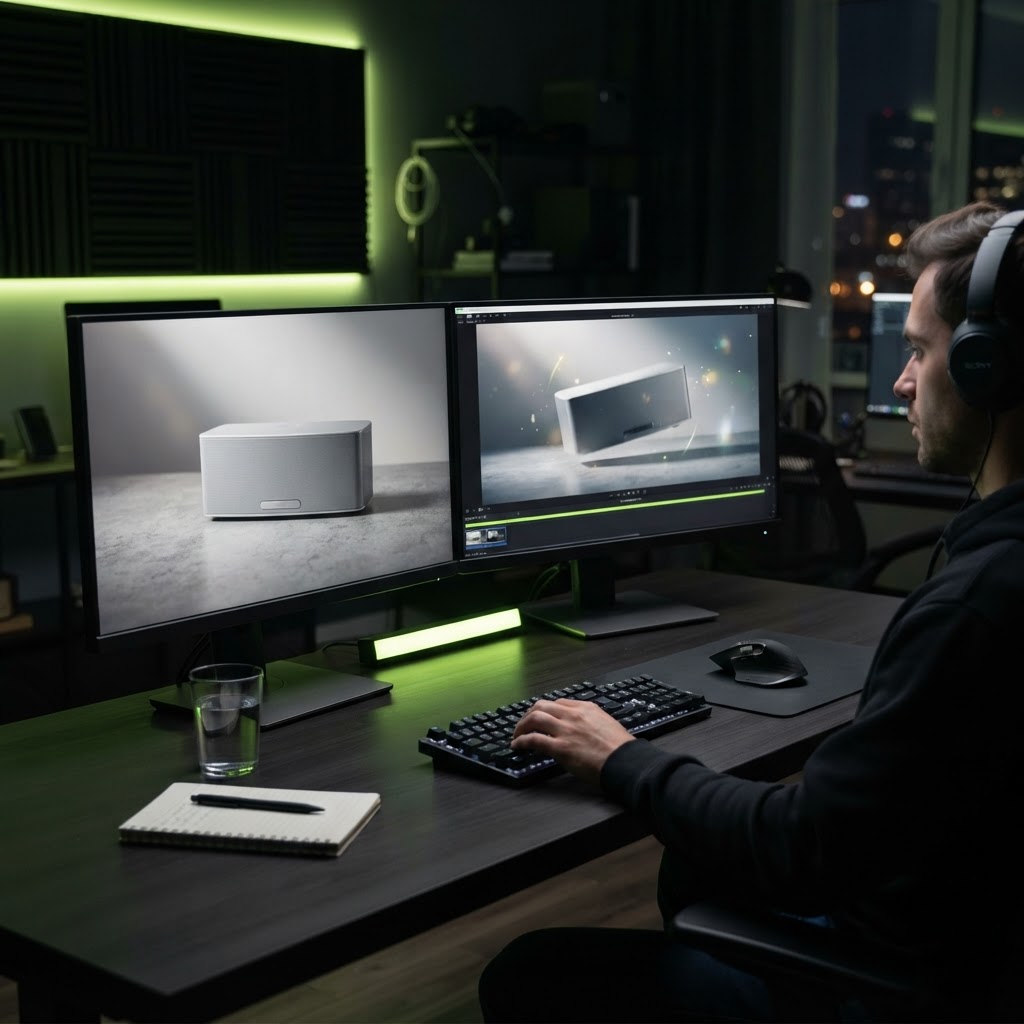
PromoMax image to video generation uses a picture as the starting reference for a moving scene. Supply an image, describe the treatment and use the available video options to generate the clip. It is a practical choice when you want the visual to begin with an existing subject instead of relying on a text description alone.
This page describes that generation capability, not a separate automatic photo-library subscription. You choose the images and requests you want to create. A folder of photos is not silently converted or published, and connecting an account does not imply permission to turn every image into advertising. You retain the decision about which assets are appropriate for public use.
Image-led generation is most useful when the starting picture contains something the business deliberately wants to preserve. That could be a product, a room or an approved service visual. Choose the picture for the actual campaign rather than treating an entire photo collection as interchangeable input. Note which details are material: a package label, a finish, a fitting or a person’s identity. Then choose a restrained movement that can be checked against those details. PromoMax provides a generation workflow, not a certification that every part of an image remains unchanged. The result must earn approval on its own, even when the original photograph was accurate.
The problem
Give Existing Images Another Useful Format
Businesses often have an image that explains the offering well but want a moving version for another placement. Image-led generation provides another treatment without throwing away the original work. The right result adds interest while keeping the message honest. If movement distorts an important detail, the original still remains the better asset and should not be replaced simply because video is available.
Reusing a source image does not automatically make each variation a useful new asset. A campaign may benefit more from one clear motion treatment and a genuine still than from several near-identical clips. Decide where each version will appear and what additional information it provides. Avoid inventing background activity to make the output seem different. For a hypothetical shop, a moving product scene should not imply an accessory is included if it is not. For a contractor, it should not change the scope or finish of the photographed work. The business message is the constraint, not an inconvenience to overcome during generation.
How it works
How PromoMax Delivers Image to Video Generation
Prepare the source before submission by checking ownership, consent and visible private information. Describe the movement and specify which details should not change, while recognising that the generator may still alter them. Inspect the whole output, not just its first frame. Look closely at writing, edges, hands, faces and reflections when they matter to the message. If the result is unsuitable, retain the original and change the brief or production approach. Only a version you have actually reviewed should enter the calendar. Reusing the same source for another request does not justify skipping that review or assuming that the next result has the same properties as the previous one.
- 1
Select the image for one specific message
Choose a picture that clearly supports the service or product you are promoting. Check ownership, customer permission and any private information. Decide what the video should emphasise so the request has a purpose beyond making a photo move.
- 2
Generate a treatment with the available controls
Use the image workflow to provide the picture and describe the desired action or camera treatment. Select the available output settings. The generator interprets your request, so exact preservation of geometry, text and faces should not be assumed.
- 3
Approve the asset, not an imaginary production pipeline
Compare the finished clip with the source and keep only an appropriate result. Save or download it and prepare the accompanying copy. Use the separate publishing tools if the file and account are supported; generating one video does not enable recurring batch publishing.
What's inside
What You Get With Image to Video Generation
Generation anchored to your image
An input-led creation process that begins with the subject you select. It gives you more visual context than a text-only request without removing the need to inspect the output.
Written direction for the treatment
Specify the intended emphasis and movement in the request. Keep the brief focused so the result can be judged against a clear business use rather than a vague request for excitement.
A saved moving asset
Keep a suitable generated result for your marketing. Output settings and supported uses depend on the workflow, so check the file before adding it to a campaign or publication schedule.
Compatibility with your content workflow
Use PromoMax to prepare the caption or service explanation that accompanies the clip. Keep those facts accurate even when the scene is stylised, and use original media for evidence of real work.
Ready when you are
Choose a Picture That Already Tells Your Story
Use PromoMax to explore a moving version and decide whether it belongs in your campaign.
Who it is for
For Owners Reusing Product and Service Imagery
A shop can begin with a product image, a restaurant with a dish photo or a service business with a suitable approved visual. These are possible uses, not promises that generation will preserve every object perfectly. Where identity, medical outcomes, safety instructions or exact product appearance are material, use unchanged media or a carefully verified result. The service helps create content; it does not certify the accuracy of a generated scene.
Businesses that already maintain a small collection of approved product or service images have a practical starting point for this workflow. It can sit beside original photography rather than replacing it. Teams should keep a clear distinction between an authentic source photo and a derived motion asset, especially when later reusing the material for a different offer. Consent for one campaign may not cover every future use. Where the product appearance, medical outcome or technical procedure must be exact, use verified original media. A generated file can help communicate a service, but it should never become the sole evidence that a result occurred or a customer endorsed the business.
Part of the system
Reuse the Message Without Inventing a New Service Package
Image to video generation and image to video creation describe the same underlying type of capability in PromoMax. This is not a claim that one includes a shared-folder monitor, duplicate tracking or a standing weekly conversion pipeline. You can combine the actual generation tools with content creation and supported scheduling to organise the marketing work you choose.
A realistic derived clip may need a platform disclosure even though it started from a genuine picture. YouTube explains when viewers must be informed in its AI-generated content disclosure documentation. Review the requirement for each intended upload rather than assuming the original image settles it. The point is to distinguish generated or meaningfully altered presentation from a recording of reality. Keep that distinction in any caption or landing page too. PromoMax generation and scheduling do different jobs, so creating the asset does not itself confirm that the destination’s publication settings have been completed.
Output framing is another separate decision. YouTube describes the square and vertical formats recognised as Shorts in its guidance on Shorts formats and length. Compare that destination requirement with the selected creation tool’s available settings and with the content of your source image. Do not crop away the evidence that makes a service photo meaningful or hide a limitation that a buyer needs to see. After publication, inspect the actual post for framing, caption accuracy and the destination link. That check closes the workflow more reliably than treating a successfully generated file as a successfully delivered campaign.
Sources
Official documentation referenced above
FAQ
Frequently asked questions
Is this a different service from image to video creation?
The terms describe the same kind of image-led generation capability here. They do not identify two different packages with different automatic pipelines. Choose the actual workflow and settings shown in the PromoMax video tool.
Does it automatically watch a shared photo folder?
No shared-folder monitoring is promised by this service. You select and submit suitable images through the available creation workflow. Do not assume that uploading business photos somewhere else starts video generation.
Can I use the same image for different ideas?
You can submit a different creative direction where the workflow supports another request and you have the required usage. Check each result separately; the source image does not guarantee identical details across variations.
Are generated clips ready for every social platform?
Check the output dimensions, duration and file requirements for the intended destination. Available generation settings and connected publishing support vary. A saved video is not a guarantee that every platform will accept the same file.