When you are deciding between Buffer vs AI marketing tools for automated posting, you are really choosing between a manual organizational system and a full-service creative partner. By the end of this guide, you will understand exactly which platform best aligns with your current business goals, helping you determine where to allocate your limited time and marketing budget.
Short on time? Enter your website and see what it would write for your business — free, in about 30 seconds.
What are the primary differences between Buffer and AI-powered platforms?
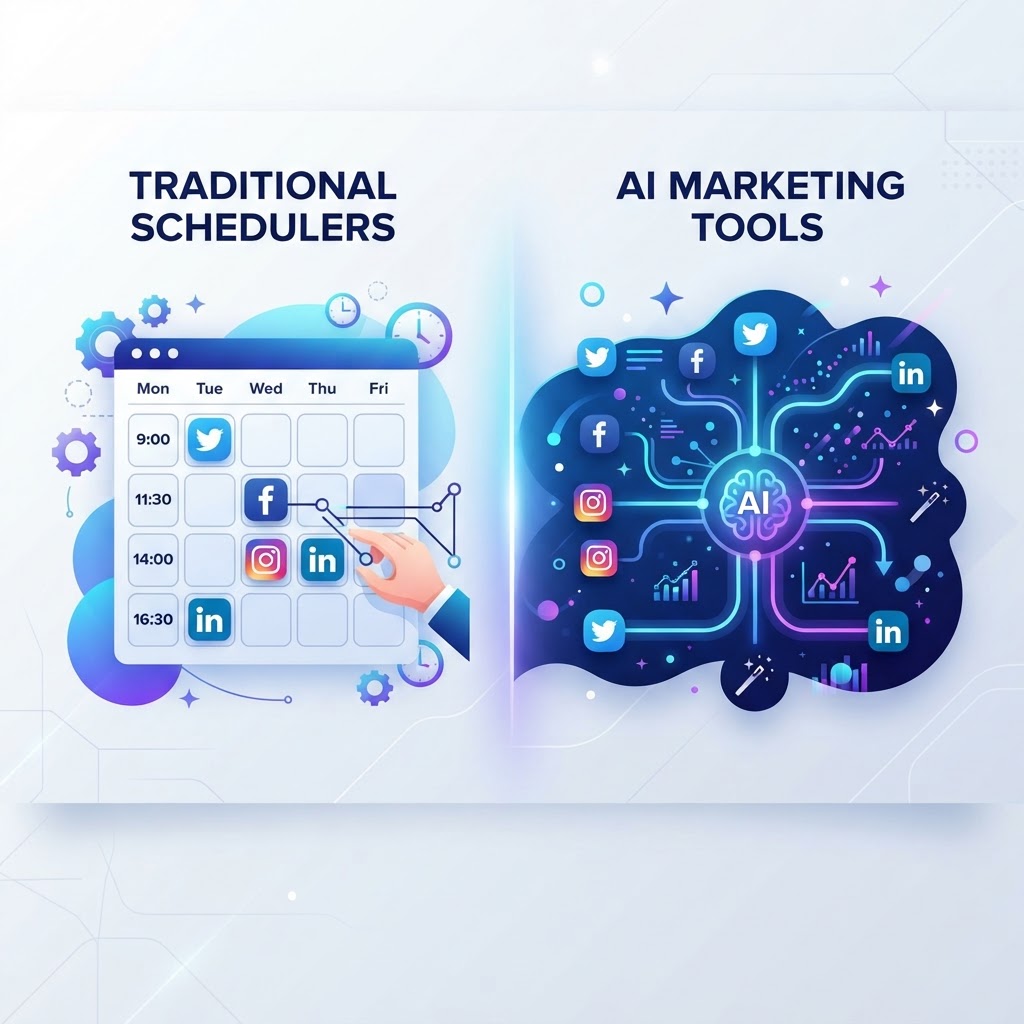
Buffer functions primarily as a digital calendar for your social media strategy. It provides a clean, user-friendly interface to organize your content, preview how posts will appear on various platforms, and ensure they hit your queue at the best times. However, it remains a passive tool. You must bring the creativity to the table, including writing the copy, sourcing or designing the images, and determining your overall engagement strategy yourself. It is the digital equivalent of a filing cabinet; it is great at storage but does not generate the files for you.
AI-powered marketing platforms shift the heavy lifting of production. These tools utilize large language models and image generators to draft high-converting captions, design visual assets, and even suggest the best times to post based on real-time data. Rather than just queuing a post, an AI tool functions as an extension of your marketing team, handling tasks that previously required a dedicated copywriter or graphic designer.
| Feature | Buffer | Compare several AI-powered marketing tools to see which features match your posting needs before you commit to one. |
|---|---|---|
| Content Generation | Manual, but Buffer's AI Assistant is optional, and the platform's core features—posting, scheduling, and planning—are not AI-powered. Check if this optional assistant meets your content drafting needs. | Check if the platform offers AI-assisted content drafting features, such as caption and idea generation. |
| Image Creation | Confirm whether Buffer includes a built-in image generator before relying on it for image creation. Buffer integrates with Canva, Google Drive, Dropbox, OneDrive, and Zapier. Evaluate these integrations to see if they meet your image creation needs. | Check if the platform includes built-in AI image generation or relies on third-party integrations. |
| Strategy & Optimization | Posting times are user-defined. Buffer offers posting time recommendations based on its Best Time to Post data. Check if this suggestion feature fits your strategy needs. | Check if the platform provides data-driven insights or analytics to guide your posting strategy. |
| Scope | Scheduling, content calendar, and basic analytics—review current features for any additional tools you need. | Check whether the platform covers the full range of marketing tasks you need, such as content creation, scheduling, and performance tracking. |
How Much Time Does Each Tool Actually Save?
Small business owners often feel overwhelmed by the constant demand for new social media posts. While Buffer helps organize that time, it does not reduce the time spent writing captions or sourcing images. An AI marketing automation platform can help cut down that time by automating parts of the brainstorming and drafting phases—try it yourself and measure how much time you actually save. If your goal is to save time on marketing, an AI tool can reduce blank-page syndrome by offering a starting draft you can edit rather than writing from scratch. For example, instead of manually brainstorming a caption, an AI tool can quickly generate several options for you to review and refine.
The hidden cost of traditional scheduling
Many business owners make the mistake of assuming that scheduling software is the same thing as a marketing strategy. A common pitfall is spending hours manually sourcing stock photos and writing posts only to realize they lack a cohesive brand voice. Because Buffer does not provide creative assistance, you are responsible for maintaining quality control across every single post, which is a significant drain on your productivity.
Putting It Into Practice
If you choose a traditional scheduler, your process remains: research trends, write copy, edit photos, upload to scheduler, repeat. If you utilize an AI-driven approach, your process becomes: define campaign goals, review AI-generated suggestions, and approve content for distribution. This switch allows solo marketers to scale their social media content creation without needing to hire additional staff or freelancers.
Step-by-step optimization strategy
- Define your pillars: Before using any tool, list your top three business goals, such as lead generation or brand awareness.
- Leverage the machine: Use your AI tool to generate a content calendar based on those specific goals rather than generic industry trends.
- Quality checks: Always review the AI output to ensure it matches your specific local brand voice and current promotional offers.
- Iterate with data: Use the performance metrics provided by your platform to identify which AI-generated topics resonate most with your audience.
By automating the repetitive parts of your marketing, you reclaim the hours needed to actually run your business, manage your team, and serve your customers effectively.
Related Reading
- Getting Started with AI-Automated Posting
- How to Scale Your Marketing Without Hiring
- Why You Need a 'Marketing Agent' Instead of a Tool
- AI vs. Human Writing: Finding Your Brand Voice
See what it writes for YOUR business
Go to promomax.ai right now, enter your website, and get custom posts written for your business in about 30 seconds — free, no credit card. That's hundreds of posts a month on autopilot, written in your voice, published while you run your business. 7-day money-back guarantee, cancel anytime.
Get my free posts